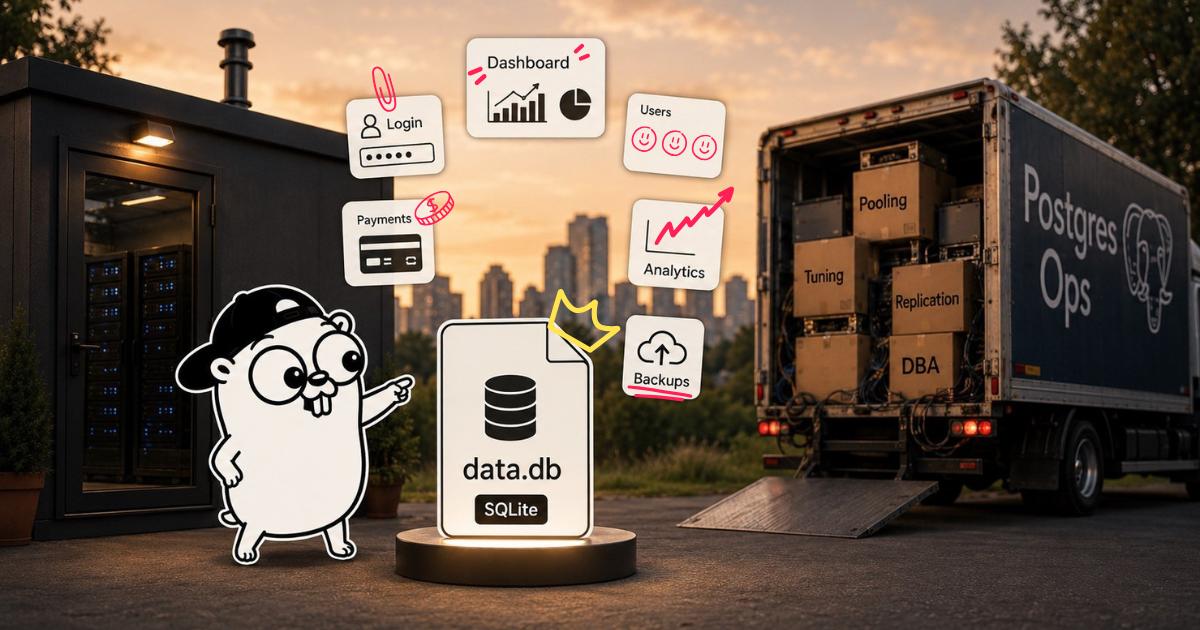
SQLite vs Postgres in 2026: most web apps do not actually need Postgres
A practical, opinionated comparison. Why SQLite is the right default for almost every web app in 2026, the rare cases where Postgres is genuinely needed, and how to migrate when you actually outgrow SQLite. From the founder of goilerplate.
The default answer used to be “always Postgres.” The default I would give now is “SQLite, until you have a reason to switch.”
This is not just for indie hackers. The vast majority of web apps, internal tools, dashboards, marketing sites with a backend, B2B SaaS in the early years, side projects, MVPs, and even quite a few mature products would be better off on SQLite. Most teams default to Postgres because “that is what we use,” not because the workload actually needs it.
A few things changed. Pure-Go SQLite drivers removed the CGO friction. Litestream made replication and backups boring. A growing pile of founders, agencies, and even bigger teams started shipping serious products on a single $5 VPS. The numbers stopped supporting “always Postgres” as a default, and people noticed.
Here is the actual comparison, the reasons to pick each, and the migration path when you do outgrow SQLite.
TL;DR
Pick SQLite if:
- Your app and database can run on the same machine. With WAL mode (available since SQLite 3.7.0 in 2010, opt-in via
PRAGMA journal_mode=WAL), reads never block and writes happen serialized in milliseconds. Thousands of concurrent users hit the same SQLite file every day without issue. - You do not need writes from multiple regions or many separate processes pounding the same file at once.
- You want a single-binary deploy story, fast tests, and zero-setup local dev.
- You do not have a specific Postgres-only feature you actually need.
Pick Postgres if:
- You need writes from multiple regions at the same time (read replicas alone are not enough).
- You have many separate processes writing to the same database under sustained load (a single Go web app process does not count here).
- You need complex full-text search, advanced JSON queries with indexes, or geospatial features.
- You already have ops people on the team and existing Postgres infrastructure.
- You need point-in-time recovery for compliance reasons.
For most web apps in 2026, the honest answer is SQLite. The bar to need Postgres is much higher than the industry default suggests, and WAL mode handles the concurrency story for almost everyone.
What SQLite actually is
SQLite is not “Postgres lite.” It is its own thing. It is the most-deployed database in the world (it ships in every phone, every browser, every modern OS). It is a single C library that reads and writes a single file on disk. There is no server process.
That last point is the one that changes everything. Your “database” is a file in your app’s working directory. Your “deploy” is the binary plus that file. Your “backup” is a copy of the file.
It runs in the same process as your Go binary. Queries are function calls, not network round trips. A simple SELECT skips the entire network and connection-pool overhead that a remote Postgres has. The latency win is real, especially under load.
What actually changed in the last few years
WAL mode has been in SQLite since 2010, so let me not pretend that was a recent change. The shifts that actually made SQLite a serious production option for SaaS happened later:
1. Replication became boring
Litestream replicates your SQLite file to any S3-compatible bucket in real time. If your server explodes, you restore from S3 and lose at most a few seconds of writes. Single binary you run alongside your app.
LiteFS takes this further with a FUSE filesystem that makes SQLite multi-region with one primary and many read replicas. Fly.io built it. They have since moved it into community-led mode, so check the project’s current status before betting on it. For most apps, Litestream is enough.
2. Pure-Go drivers
The modernc.org/sqlite driver compiles SQLite to pure Go. No CGO, no C compiler needed. Build a Linux binary on your Mac with GOOS=linux go build, ship a single static binary that embeds the database engine.
This is a meaningful step. CGO is annoying. Pure-Go SQLite removes the only friction point for “deploy a Go binary with embedded SQLite,” which is exactly the deploy story I would not have given up Go for anything else once I tried it.
3. Operational tooling caught up
For years the honest objection to SQLite in production was “what about backups, observability, and managing multiple databases?” In 2026 there are answers.
Litestream streams every change to S3-compatible object storage in the background, so a crashed server costs you seconds of data instead of a day. And because a SQLite backup is ultimately just a file, restore is copying that file back. This is the piece that turns “SQLite in production” from “you better know what you are doing” into a boring, scriptable routine.
Real receipts: who actually runs SQLite in production
If “SQLite for production” still feels like indie hacker fanfic, look at the receipts.
Pieter Levels runs nomadlist.com, remoteok.com, and a portfolio of other products on a single VPS with SQLite. He posts the stack publicly. Combined revenue is in the millions of dollars per year. The database is one file.
Tailscale runs SQLite in their control plane for millions of devices across a serious enterprise business. Brad Fitzpatrick has talked about this publicly more than once.
Cloudflare D1 is SQLite at the edge, deployed across Cloudflare’s global network for real production workloads.
Expensify runs their backend on Bedrock, an open-source clustering layer they built on top of SQLite, at the scale of a publicly traded company.
These are not toys. They are real production systems doing real revenue. The “SQLite is for embedded use only” mythology is from a decade ago, and the industry quietly moved on while the textbooks did not.
The performance shape
I am not going to quote a specific benchmark number, because every benchmark depends on the workload. The honest shape:
- SQLite under WAL handles tens of thousands of reads per second on a single VPS without breaking a sweat.
- Postgres usually wins on sustained write throughput, especially with many concurrent writers.
- For read-heavy web apps, SQLite is often faster end-to-end because there is no network hop.
The catch: SQLite is single-writer at the file level. With WAL mode, writes serialize in milliseconds and readers do not block, so a single Go web app process easily handles thousands of concurrent users. The catch only really bites when you have multiple separate processes writing to the same file under sustained load, or you genuinely need multi-region writes. For those, Postgres.
What you give up with SQLite
Be honest about the trade-offs.
- No horizontal scaling of writes. At the file level, one writer at a time. WAL makes this nearly invisible inside a single Go process (writes serialize in milliseconds, reads do not block). It becomes a real constraint only when you want multiple separate processes or regions writing the same file under load.
- JSON queries are simpler. SQLite has decent JSON support, but Postgres
jsonbwith GIN indexes is the heavier hammer. - No PostGIS for geospatial. SQLite has SpatiaLite, but it is more friction.
- No fancy replication topologies. Single primary, many readers via LiteFS or file-level replication.
- No connection pooling in the usual sense. You open one in-process database handle. That is the pool.
- Smaller ecosystem of tools. TablePlus, DB Browser for SQLite, and Beekeeper Studio all support SQLite well. The Postgres ecosystem (pgBouncer, Patroni, Wal-G) is deeper if you need heavy ops tooling. pgAdmin is Postgres-only, not a SQLite tool.
- No row-level security. Your app does access control. You should be doing that anyway, but some teams lean on RLS heavily.
If any of these matter to your business, use Postgres.
What you gain with SQLite
Things you do not appreciate until you have them.
- Tests run on a real database, in memory, in milliseconds.
:memory:is the connection string. Your test suite is fast and tests behavior, not mocks. - Local development needs zero setup. No Docker Compose, no
brew install postgres, no port collisions. - Backups are trivial. Copy a file. Restore by replacing a file. Litestream automates this off-server.
- Deploys are trivial. Single binary, optional SQLite file alongside. No managed Postgres instance to spin up, no connection-pool tuning before launch.
- Schema changes can be tested instantly. Drop the file, restart the app, repeat.
- Total cost of ownership is small. No managed Postgres bill, no DBA, no connection pool tuning.
When to start with SQLite
If you are starting a new web app in 2026, start with SQLite. You can always move to Postgres later. Premature Postgres has a real cost. You pay it every day in dev workflow friction, deploy complexity, and hosting bills, and you pay it for years before you outgrow it.
// main.go
db, err := sql.Open("sqlite", "file:./data.db?_pragma=journal_mode(WAL)&_pragma=synchronous(NORMAL)")
if err != nil {
    log.Fatal(err)
}
Three lines. Now you have a database. The sqlite driver name above is the pure-Go modernc.org/sqlite one. No CGO, no C compiler.
When to migrate to Postgres
You will know. The signals:
- You start hitting sustained
database is lockederrors that WAL plus a reasonable busy timeout (PRAGMA busy_timeout = 5000) does not fix. This is rare but real if you genuinely have many concurrent writers or multiple processes hammering the file. - You need to read-replicate to multiple regions and LiteFS does not fit your topology.
- You hire a backend engineer who refuses to work on SQLite. Real reason, do not dismiss it.
- You sell into enterprise and they ask “what is your database.” “Postgres” is a more comfortable answer.
- Your write throughput approaches sustained hundreds to a thousand writes per second.
Until then, SQLite.
The migration path
When you do migrate, the path is well-trodden.
Step 1: keep your schema portable
Write SQL that runs on both. Avoid SQLite-specific features (rowid hacks, dynamic typing tricks). Use standard SQL types. Use migrations in a file folder, applied by goose or similar.
Step 2: use a driver-agnostic abstraction
database/sql with placeholders. Same code talks to SQLite and Postgres. The driver changes, the queries do not. Be aware of the placeholder dialect: SQLite typically uses ?, Postgres uses $1, $2, etc. You either write one set of queries per dialect, or you use a query layer that handles this for you. Tools like sqlc generate dialect-specific code from a single set of SQL files.
// Postgres
row := db.QueryRow("SELECT id, email FROM users WHERE id = $1", userID)

// SQLite
row := db.QueryRow("SELECT id, email FROM users WHERE id = ?", userID)
Step 3: dump and load
# SQLite -> csv
sqlite3 data.db <<EOF
.mode csv
.output users.csv
SELECT * FROM users;
EOF

# csv -> Postgres
psql yoursaas -c "\copy users FROM 'users.csv' WITH CSV HEADER;"
Test on a copy of production first. Some types do not map cleanly (SQLite INTEGER vs Postgres bigint, SQLite TEXT vs Postgres text, dates and booleans need care).
For larger databases, use pgloader, which automates the type mapping.
Step 4: cut over
Stop your app. Migrate. Update the connection string. Start your app. If your downtime budget is tight, do a read-shadow migration: write to both, read from Postgres, verify, switch. For most apps, a 10-minute maintenance window at 4 AM is fine.
When to go straight to Postgres
There are real cases where SQLite is the wrong default.
- You have an existing team that already runs Postgres. The marginal cost of one more Postgres database is zero.
- You are building a developer tool that will run on customer infrastructure where Postgres is expected.
- You need geospatial features (mapping, geofencing).
- You need full-text search with sophisticated ranking (Postgres’
ts_rankand friends). - You are deeply familiar with Postgres operations and using SQLite would slow you down.
Pick the right tool. The right tool is rarely “what the cool kids on X are using.”
In goilerplate
goilerplate supports both. SQLite is the default for local dev and ships ready for production via the modernc.org/sqlite pure-Go driver. Flip the connection string to Postgres for production if you want. The same sqlx repository code talks to both behind the same interface.
The full stack reasoning is in the best Go SaaS stack in 2026. For the cost math on building everything yourself versus using a foundation, see boilerplate saves you 200 hours.
Starting at $99 launch (regular $199), one-time, lifetime updates. New features and fixes ship into goilerplate every week.
The takeaway
Database choice is one of the few architectural decisions that is genuinely reversible if you set it up right. Premature optimization for “scale” is one of the most expensive mistakes founders and teams keep making.
SQLite will carry you from zero to several thousand active users, in a lot of cases well beyond that. By the time you genuinely outgrow it, you will have revenue and signal to pay for whatever you need next, which is a much nicer place to be than “we are pre-launch and our Supabase bill is already $200 a month.”
Pick the boring tool first. You can always upgrade later when you have a real reason to.